Have you ever wanted to send a photo via WhatsApp or upload an image to a certain site, but the file was too large? This problem often occurs, especially if you use a cellphone camera with high resolution.
Apart from taking up storage space, large photo sizes also make the delivery process take longer.
The good news is, you can reduce the size of photos on your cellphone without additional applications. The method is to simply use an online image compression site which can be accessed directly via a browser, either on a cellphone or laptop. This method is practical, free, and most importantly the photo quality remains good.
How to shrink MB photos on a cellphone without an application
Here are several sites and easy steps you can use to reduce the size of a photo (in MB or KB) without needing to install any application.
1. Shrink photos via Easy Resize
The Easy Resize site is one of the best choices for reducing the size of photos without any hassle.
You can access it directly from the browser and adjust the size according to your needs, for example if you want to change the photo size to 100KB.
- Open the browser on your cellphone and visit the site easy-resize.com
- On the main page, set the photo size you want (for example in KB, MB, or percentage).
- Click the “Click or Drag and Drop Your Images Here” button to select a photo from the gallery.
- Wait until the upload and compression process is complete.
- After that, click “Download/Download” to save the compressed photo.
The advantage of Easy Resize is that it looks simple and is easy to use even for beginners. Apart from that, the compression results remain sharp and do not reduce the quality of the photo too much.
2. Shrink Photo MBs Using IMG Online
If you want more detailed results and can adjust the compression level according to your needs, the IMG Online site could be the right choice.
The site allows you to adjust file sizes based on percentages, as well as retain photo metadata if needed.
However, keep in mind that reducing the size of the photo too drastically can make the results look blurry or broken.
Therefore, you need to adjust the compression level to maintain a balance between file size and photo quality.
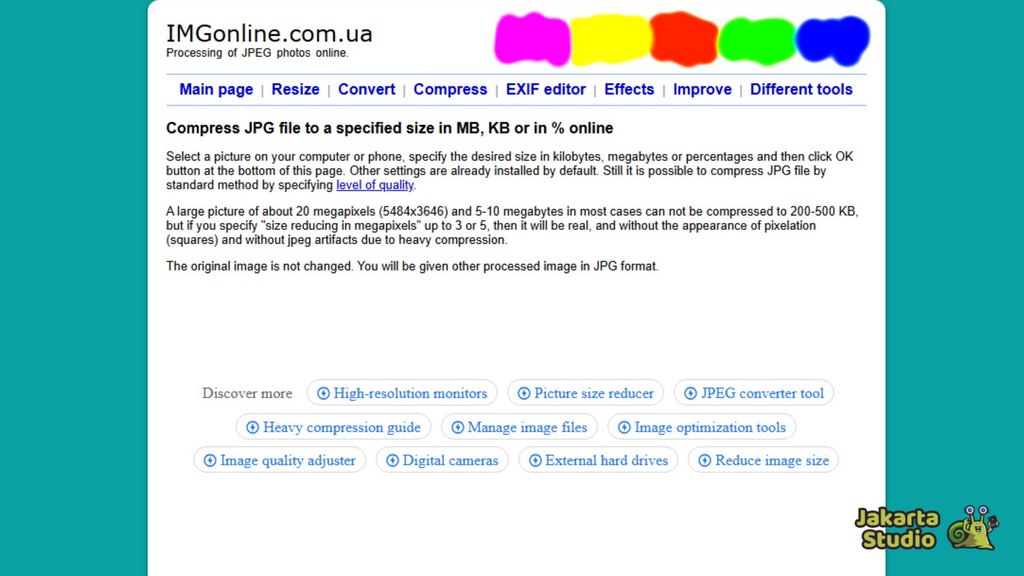
- Open the browser on your cellphone, then visit the site imgonline.com.ua/eng/compress-image-size.php
- Click the “Choose File” button to select a photo from the cellphone gallery.
- Set the size you want, it can be based on a percentage or file size (for example 500KB or 100KB).
- Make sure you don’t check the “Size Reducing in Megapixels” option so that the photo resolution is maintained.
- In the JPEG Format section, select “Standard” or “Progressive JPEG”.
- In the metadata (EXIF) section, you can select “Yes” if you want to save photo data such as the shooting date.
- Click “OK” and wait for the compression process to complete, then download the results.
IMG Online is suitable for those of you who want to adjust the compression in more detail, especially if you want to maintain the maximum possible photo quality.
3. Compress Photos Via ResizeFile
Another option that is no less easy is the ResizeFile site. Apart from being able to reduce the photo size to 100KB, this site also allows you to set other sizes according to your needs. The appearance is simple and can be used immediately without the need for additional login or installation.
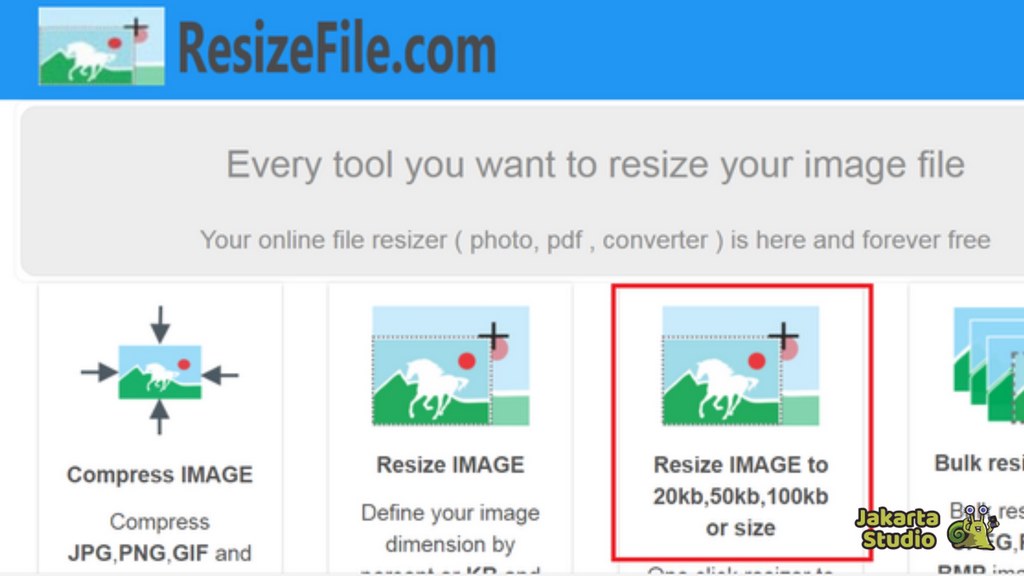
- Open a browser and type the address resizefile.com
- Click the “Resize Image” menu on the main page.
- Select “Browse Image” to upload the photo you want to reduce.
- After the photo appears, set the desired size (for example, write the number 100 for 100KB).
- Press the Enter key, then wait for the conversion process to complete.
- Click “Save” to download the results to the cellphone gallery.
This ResizeFile site is very suitable for those of you who need fast results without a lot of settings. The results are quite good and the process doesn’t take long.
Tips to ensure photo quality remains good after being reduced
- Avoid resizing too small if the photo will be used for professional purposes.
- Use JPEG or WEBP format for more efficient compression results.
- Save a copy of the original photo before compressing it so you still have a high-resolution version if you ever need it.
Cover
Now you don’t need to be confused anymore if you want to reduce the MB size of photos on your cellphone without an application. Just use online sites.
In this way, you can save storage space, speed up the photo sending process, and still maintain clear image quality.
News
Berita
News Flash
Blog
Technology
Sports
Sport
Football
Tips
Finance
Berita Terkini
Berita Terbaru
Berita Kekinian
News
Berita Terkini
Olahraga
Pasang Internet Myrepublic
Jasa Import China
Jasa Import Door to Door
Comments are closed, but trackbacks and pingbacks are open.