Who was surprised suddenly the memory of the cellphone was full? When checked in the gallery, there are so many unclear photos from WhatsApp. It feels really uncomfortable, right? In fact, the photos enter the gallery automatically, without you knowing.
Well, you don’t need to worry! There is an easy way to prevent WhatsApp photos stored in the HP gallery. Both on Android and iPhone, you can set the settings so that the gallery remains neat and not full of photos that are not important. Curious how?
How to keep a wa photo not entering the Android gallery
By default, WhatsApp has an automatic feature to download and display the media you receive, including photos and videos. So you don’t need to do it manually.
However, the problem is, this can make the HP gallery messy and memory quickly full, especially if you often receive lots of photos or videos on WhatsApp. Well, fortunately you can change this setting you know!
Disable visibility in the gallery
The first way you can try is to deactivate media visibility. In this way, the photos and videos that you receive are still on WhatsApp, but will not appear in the HP gallery. How to do? Check out the following steps:
- Open the application WhatsApp On your cellphone.
- Tap the icon point three In the upper right corner and select settings.
- Select the menu Chatting.
- Find the option Media visibility And Disable.
- After this feature is turned off, the photos and videos you receive will remain stored on WhatsApp, but will not appear in the gallery.
Disable automatic downloads
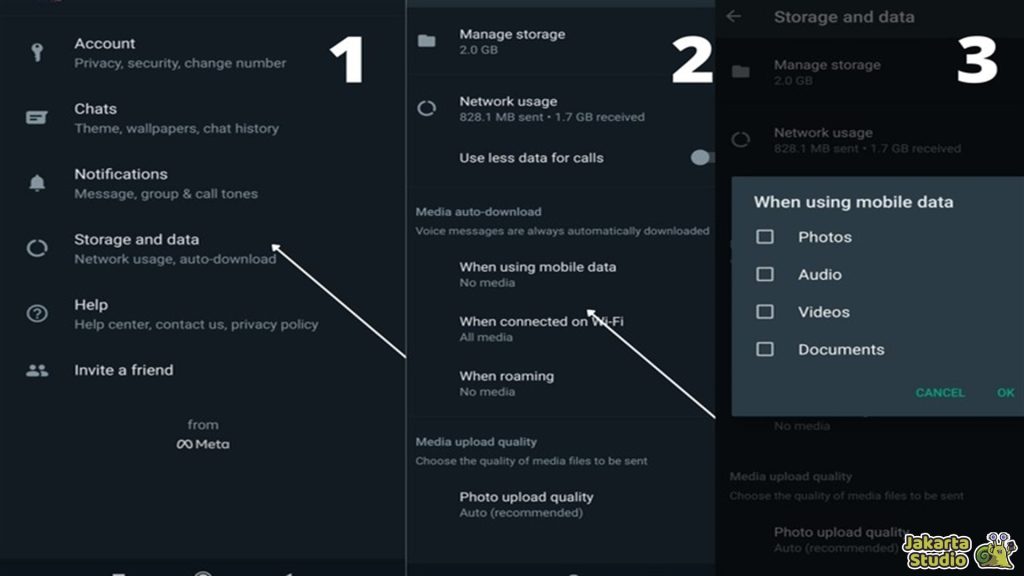
In addition to deactivating media visibility, you can also prevent WhatsApp photos or videos downloaded automatically to the cellphone. By deactivating this setting, you can choose your own photos or videos you want to download. The method is very easy, follow the following steps:
- Open WhatsApp and tap the point three icon in the upper right corner.
- Choose SettingsThen register to the menu Storage and data.
- In the section Download the media automaticallyYou will see three sets of settings based on network types: cellular networks, wifi and roaming.
- Select one by one and delete all checks on the type of media you want to turn off, for example photos, audio, video, and documents.
How to make wa photos not stored in the iPhone gallery
For iPhone users, WhatsApp also provides the same features to prevent photos from entering the camera roll directly. So, the photos and videos you receive will not be stored immediately in the gallery, but only in the WhatsApp application. Here’s how:
Disable Save to Camera Roll features
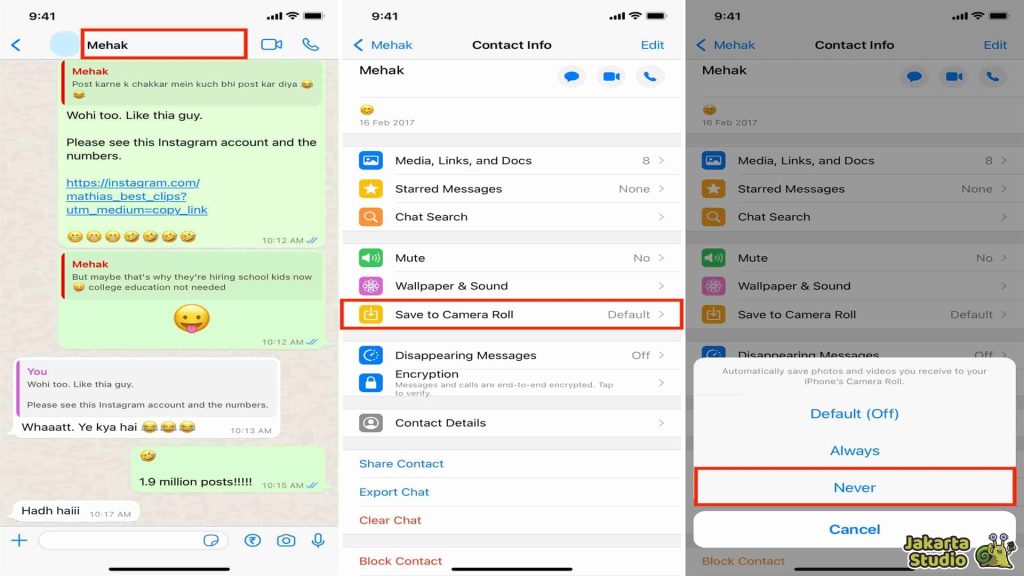
To prevent WhatsApp photos from appearing in the iPhone gallery, you can disable the Save to Camera Roll feature. With Bgeitu, the media received will only be stored on WhatsApp and does not appear in the gallery or camera roll.
- Open the application WhatsApp On iPhone.
- Select the menu Arrangement which is in the lower right corner.
- Enter the menu Chat.
- Find the option Save to Roll Camera And turn off this feature.
The advantage of deactivating WA photo storage
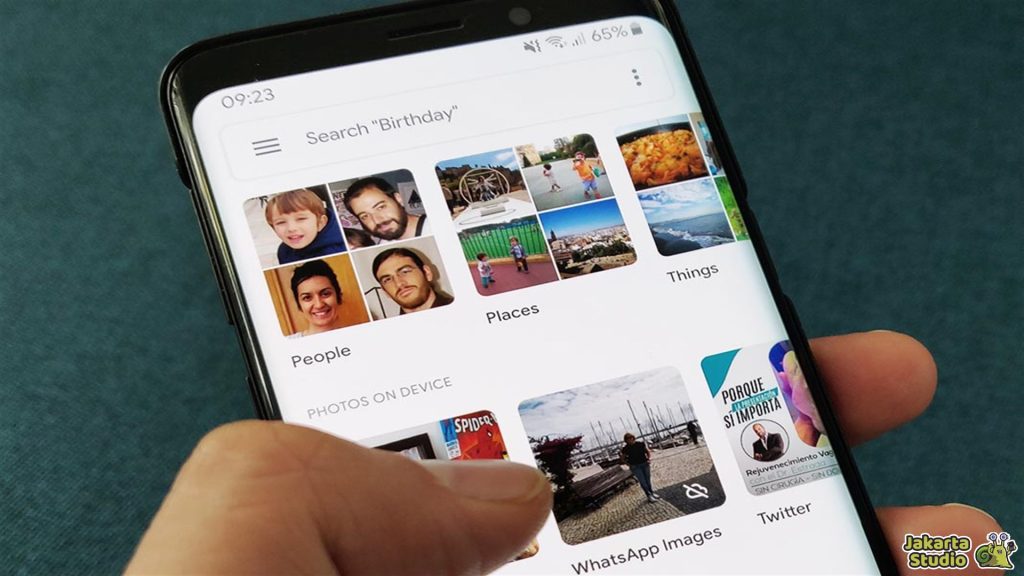
Maybe you think, “What are the benefits of deactivating this feature?” Here are some of the benefits that you can get by setting so that WhatsApp photos are not stored automatically in the gallery:
Save storage space
By deactivating automatic storage features, you can save a lot of storage space on a cellphone. Especially if you often receive photos or videos in large quantities, without this feature, the media will only be stored on WhatsApp and does not meet the memory of HP.
A neater gallery
Imagine a clean cellphone gallery without any piles of unnecessary photos. With this setting, your gallery will be far more organized, so it’s easy to find the photos that you really keep and need.
Privacy is more awake
Disables the storage of WhatsApp photos in the gallery also helps maintain your privacy. Because the photos received are not directly seen in the gallery, only you can access them through the WhatsApp application.
Conclusion
Now, you already know how to make WhatsApp photos not stored in the HP gallery, both on Android or iPhone. That way, your cellphone gallery can be neater, more efficient memory, and privacy is maintained. Immediately, you try yourself!
News
Berita
News Flash
Blog
Technology
Sports
Sport
Football
Tips
Finance
Berita Terkini
Berita Terbaru
Berita Kekinian
News
Berita Terkini
Olahraga
Pasang Internet Myrepublic
Jasa Import China
Jasa Import Door to Door
Comments are closed, but trackbacks and pingbacks are open.